By using this site, you agree to the Privacy Policy and Terms of Use.
Accept

Gadget Issues

Fix Your Gadgets

  • About Us
  • How to Fix
  • Error Fix
  • Tutorial
  • Tech News
© 2025 All Rights Reserved.
Reading: How to Correctly Clean Corrosion from a MacBook Pro Logic Board
Share
Sign In
Notification Show More
Font ResizerAa

Gadget Issues

Fix Your Gadgets

Font ResizerAa
  • About Us
  • How to Fix
  • Error Fix
  • Tutorial
  • Tech News
Search
  • About Us
  • How to Fix
  • Error Fix
  • Tutorial
  • Tech News
Have an existing account? Sign In
Follow US
© 2022 Foxiz News Network. Ruby Design Company. All Rights Reserved.
Gadget Issues > Blog > How to Fix > How to Correctly Clean Corrosion from a MacBook Pro Logic Board
How to Fix

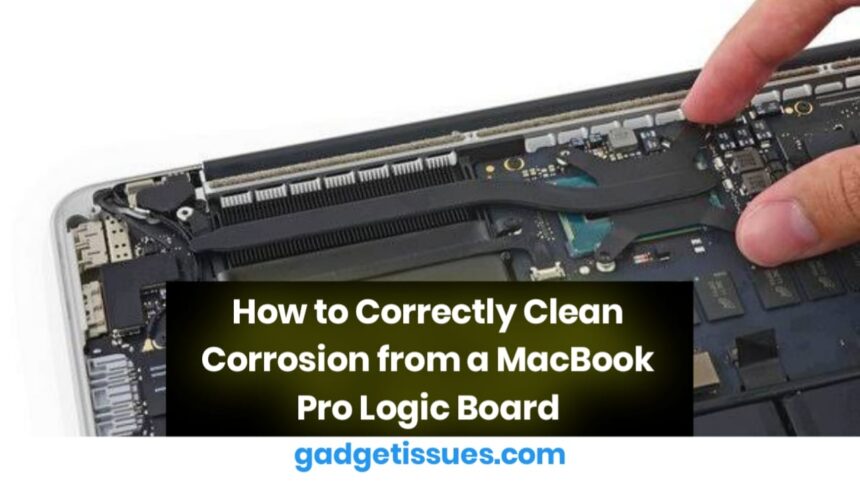
How to Correctly Clean Corrosion from a MacBook Pro Logic Board

skynet
Last updated: March 26, 2025 5:18 am
skynet
Share
2 Min Read
SHARE

Corrosion on a MacBook Pro logic board can lead to various issues, including system crashes, power failures, and component malfunctions. Properly cleaning the logic board can help restore functionality and prevent further damage. For expert advice on MacBook repairs, visit MacRumors, where professionals discuss Apple hardware issues and solutions.

Contents
1. Gather the Necessary Tools2. Power Off and Disassemble the MacBook3. Clean the Corroded Areas4. Inspect and ReassembleConclusion

1. Gather the Necessary Tools

Before cleaning the logic board, ensure you have the right tools:

  • 99% isopropyl alcohol (lower concentrations may leave residue)
  • Soft-bristle brush or anti-static brush
  • Microfiber cloth
  • Plastic tweezers (for handling components)

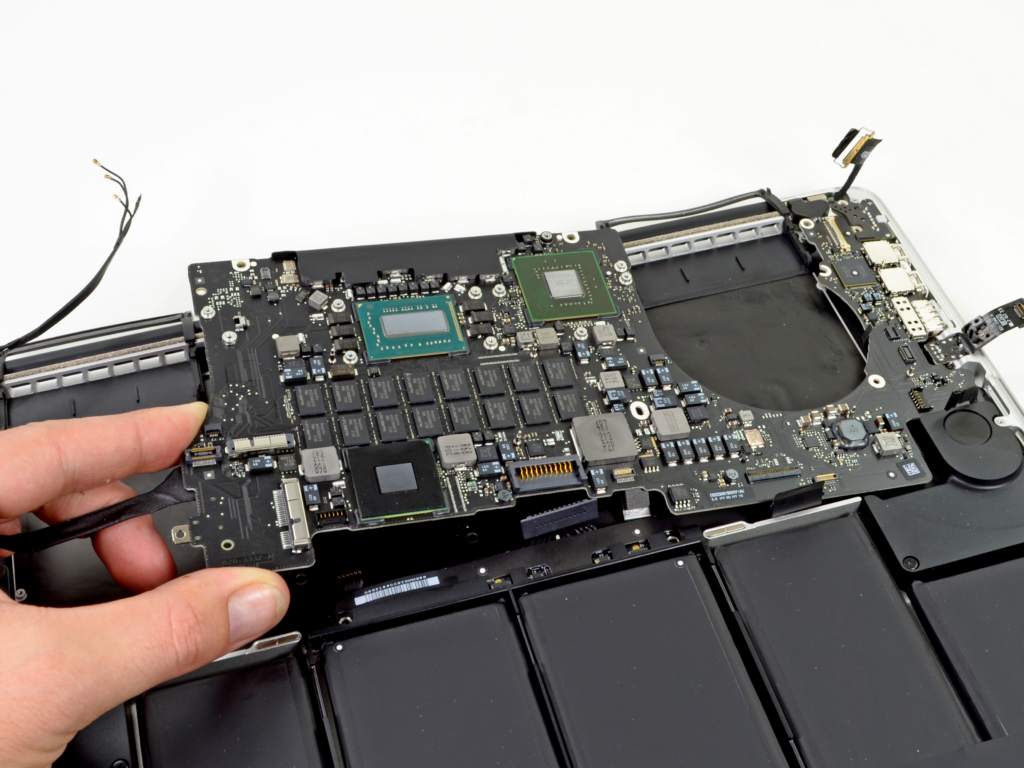
2. Power Off and Disassemble the MacBook

To avoid electrical damage, power off the MacBook before cleaning.

  • Disconnect the charger and any external devices.
  • Unscrew the bottom panel using a Pentalobe screwdriver.
  • Carefully disconnect the battery before handling the logic board.
3. Clean the Corroded Areas

Once the logic board is exposed, locate the corroded areas.

  • Dip the soft-bristle brush in 99% isopropyl alcohol and gently scrub the affected areas.
  • Wipe excess alcohol with a microfiber cloth.
  • Let the board dry completely before reassembly.

4. Inspect and Reassemble

After cleaning, inspect the board for any remaining corrosion or damaged components.

  • If corrosion has severely damaged components, professional repair may be necessary.
  • Reconnect the battery and reassemble the MacBook.
  • Test the device to ensure it functions correctly.

Conclusion

Cleaning corrosion from a MacBook Pro logic board requires patience and precision. Using isopropyl alcohol, a soft-bristle brush, and careful handling can remove corrosion and restore functionality. However, if the damage is extensive, professional repair or logic board replacement may be required for long-term reliability.

Also Read : SIM Card Not Recognized After Drop? Here’s How to Fix It

You Might Also Like

How to Spot Hidden Damage After Dropping Your Phone

10 Common Samsung Phone Repair Problems and Solutions

Top Reasons Smartphones Overheat & How to Prevent It

How to Effectively Remove Water From Your Samsung Phone: A Step-by-Step Guide

How to Fix MacBook Display “Staingate” Issue: A Step-by-Step Guide

TAGGED:**MacBook Pro Logic Board CorrosionApple laptop repairCleaning CorrosionDIY Logic Board FixElectronics RepairIsopropyl Alcohol CleaningLaptop Water Damage Recovery**Logic Board RepairMacBook MaintenanceMacBook Pro FixMacBook Water DamageMotherboard CleaningPreventing CorrosionSolder Joint CleaningUltrasonic Cleaning
Share This Article
Facebook Twitter Copy Link Print
Share
Previous Article How to Fix Staingate on Apple MacBook Displays
Next Article Fixing the MacBook “Floppy Screen” Loose Screen Issue

Latest News

Green Lines on Phone Screen
What Causes Sudden Green Lines or Black Spots on Your Phone Screen?
Uncategorized
The Master Blueprint for 2026: Top 8 Essential Laptop and Computer Repair Tips
How to Fix
Fix a water-damaged phone in 2026 using the silica gel method. Learn why the rice myth fails and follow our 3-phase emergency guide to rescue your device and data.
Don’t Use Rice: The Definitive 2026 Guide to Saving a Water-Damaged Phone
How to Fix
Formatted, fact-checked, and optimized by Gemini AI (2026).
Why Laptop Performance Drops and How Expert Adelaide Services Restore Speed in 2026
How to Fix
//

“Struggling with slow internet or other gadget problems? Our blog offers step-by-step solutions to common tech issues, helping you troubleshoot and resolve problems quickly and efficiently.”

Quick Link

  • Contact Us
  • Privacy Policy
  • Terms and Conditions
  • Cookie Policy
  • Disclaimer

Read Categories

  • Error Fix
  • How to Fix
  • Tech News
  • Tutorial
  • Uncategorized

Find Us on Socials

Follow US
© 2025 Gasgetissues. All Rights Reserved.
Welcome Back!

Sign in to your account


Lost your password?