



How to Effectively Remove Water From Your Samsung Phone: A Step-by-Step Guide
Water damage is one of the most common and severe problems that smartphone users face. While many newer Samsung phones…


How to Fix MacBook Display “Staingate” Issue: A Step-by-Step Guide
This guide will help you fix the "Staingate" issue on Apple MacBook displays. Staingate occurs when the anti-reflective coating on…
How to Fix a Water-Damaged Charging Port
A water-damaged charging port can prevent your device from charging properly. Follow these steps to troubleshoot and fix the issue…

How to Boot Your Samsung Galaxy in Safe Mode – A Step-by-Step Guide
Safe Mode is a useful troubleshooting feature on Samsung Galaxy devices. It allows you to diagnose software issues by temporarily…

Can’t Boot from USB Flash Drive – Troubleshooting Guide
If your computer fails to boot from a USB flash drive, the issue could be due to BIOS settings, faulty…
How to Fix Scratches on Gorilla Glass: A Complete Guide
Gorilla glass is a highly durable and scratch-resistant material used in smartphones, tablets, smartwatches, and other electronic devices. However, despite…

How to Fix Water Damage on Your TV: A Step-by-Step Guide
Water damage to your TV can be a serious issue, leading to malfunctioning displays, short circuits, or even permanent failure.…
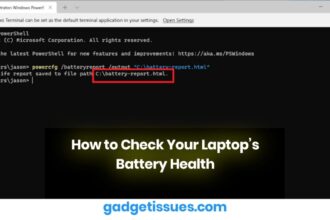
How to Check Your Laptop’s Battery Health
Laptop batteries degrade over time due to regular use, charging cycles, and heat. As your battery ages, it loses its…

How to Boost Performance on Your HP Laptop
Is your HP laptop running slower than usual? Don’t worry — with a few quick tweaks and optimizations, you can…
How to Restore or Apply an Oleophobic Coating: Bring Back That Smooth, Smudge-Free Screen
Over time, your smartphone screen might start feeling less smooth and looking smudgier—even after a good wipe. That’s because the…




