
By using this site, you agree to the Privacy Policy and Terms of Use.
Accept

Gadget Issues

Fix Your Gadgets

  • About Us
  • How to Fix
  • Error Fix
  • Tutorial
  • Tech News
© 2025 All Rights Reserved.
Reading: How to Fix Water Damage on Your TV: A Step-by-Step Guide
Share
Sign In
Notification Show More
Font ResizerAa

Gadget Issues

Fix Your Gadgets

Font ResizerAa
  • About Us
  • How to Fix
  • Error Fix
  • Tutorial
  • Tech News
Search
  • About Us
  • How to Fix
  • Error Fix
  • Tutorial
  • Tech News
Have an existing account? Sign In
Follow US
© 2022 Foxiz News Network. Ruby Design Company. All Rights Reserved.
Gadget Issues > Blog > How to Fix > How to Fix Water Damage on Your TV: A Step-by-Step Guide
How to Fix

How to Fix Water Damage on Your TV: A Step-by-Step Guide

skynet
Last updated: April 2, 2025 7:30 am
skynet
Share
3 Min Read
SHARE

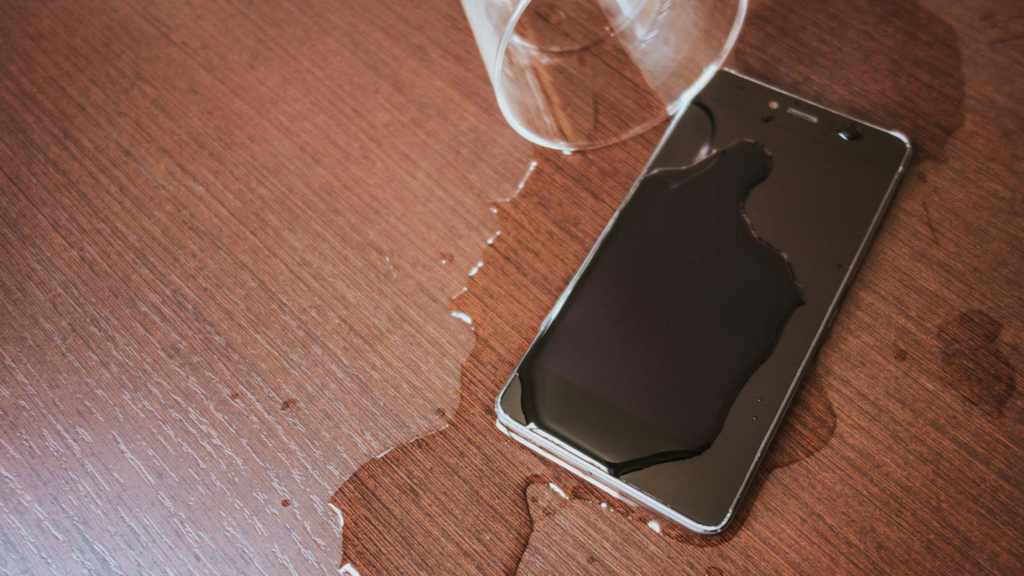
Water damage to your TV can be a serious issue, leading to malfunctioning displays, short circuits, or even permanent failure. If your TV has been exposed to water, acting quickly can improve the chances of recovery. Here’s how to address the problem effectively.

Contents
1. Unplug the TV Immediately2. Dry the TV Thoroughly3. Disassemble and Inspect for Moisture4. Check for Internal Damage5. Test the TV After Drying6. Seek Professional Help if NeededFinal Thoughts

1. Unplug the TV Immediately

The first and most crucial step is to disconnect the power supply to prevent short circuits. Follow these steps:

  • Unplug the TV from the power outlet.
  • If the TV is mounted, carefully remove it from the wall.
  • Remove any connected devices, such as gaming consoles or streaming sticks.

2. Dry the TV Thoroughly

Water trapped inside can cause internal damage. Here’s how to dry your TV effectively:

  • Use a dry, absorbent cloth to wipe off excess water.
  • Place the TV in a well-ventilated area or use a fan to speed up the drying process.
  • Avoid using a hairdryer, as excessive heat can damage components.

3. Disassemble and Inspect for Moisture

If you are comfortable with electronics, carefully remove the back panel to check for lingering moisture:

  • Use a microfiber cloth to absorb any visible water.
  • Apply isopropyl alcohol (90% or higher) to clean wet areas.
  • Let the components air-dry for at least 24 hours.
4. Check for Internal Damage

After the TV has dried, inspect for signs of corrosion or damaged circuits:

  • Look for rust or white residue on the circuit board.
  • If there is visible damage, consider using a circuit board cleaner.
  • If the damage is severe, professional repair may be required.

5. Test the TV After Drying

Once you are confident that the TV is completely dry:

  • Reassemble all components.
  • Plug the TV back in and power it on.
  • If the screen flickers or won’t turn on, check for TV screen issues.

6. Seek Professional Help if Needed

If your TV still isn’t working properly after these steps, consult a TV repair service.

Final Thoughts

Water damage can be tricky to fix, but with quick action and proper drying techniques, your TV may still be salvageable. However, if your TV doesn’t function properly after following these steps.

Also Read : Improve Your TV Reception: Build a Powerful DIY HDTV Antenna
You Might Also Like

How to Effectively Remove Water From Your Samsung Phone: A Step-by-Step Guide

How to Fix MacBook Display “Staingate” Issue: A Step-by-Step Guide

How to Fix a Water-Damaged Charging Port

How to Boot Your Samsung Galaxy in Safe Mode – A Step-by-Step Guide

Can’t Boot from USB Flash Drive – Troubleshooting Guide

TAGGED:DIY Repairelectronics fixscreen issuesTroubleshootingTV repairwater damage
Share This Article
Facebook Twitter Copy Link Print
Share
Previous Article How to Fix a Flickering Screen: A Complete Guide
Next Article How to Fix a Loose USB Port on a Xiaomi Power Bank

Latest News

How to Fix “USB Device Not Recognized”: A Complete Troubleshooting Guide
How to Fix
Stable Sight: 5 Ways to Stop Your Laptop Screen from Flickering.
How to Stop Laptop Screen Flickering: A Step-by-Step Fix Guide
How to Fix
Android speaker
8 Ways to Troubleshoot Any Speaker Issues on Your Android Phone
How to Fix
Phone Storage Full Fix
Free Up Storage Space on Your Phone in 6 Easy Steps
How to Fix
//

“Struggling with slow internet or other gadget problems? Our blog offers step-by-step solutions to common tech issues, helping you troubleshoot and resolve problems quickly and efficiently.”

Quick Link

  • Contact Us
  • Privacy Policy
  • Terms and Conditions
  • Cookie Policy
  • Disclaimer

Read Categories

  • Error Fix
  • How to Fix
  • Tech News
  • Tutorial
  • Uncategorized

Find Us on Socials

Follow US
© 2025 Gasgetissues. All Rights Reserved.
Welcome Back!

Sign in to your account


Lost your password?




