
Fixing the MacBook “Floppy Screen” Loose Screen Issue
A loose or "floppy" screen on a MacBook can be frustrating, making it difficult to maintain the correct display angle.…


How to Fix a Disabled iPod Touch: Step-by-Step Guide
If you’ve entered the wrong passcode too many times, your iPod Touch may become disabled, preventing access to your data.…

How to Fix Apple Mighty Mouse Not Scrolling Down
Apple’s Mighty Mouse is a sleek and efficient input device, but some users experience issues where the scroll ball stops…

Repairing and Upgrading Your Computer: A Step-by-Step Guide
Whether your computer is running slow, acting up, or just feeling outdated, knowing how to repair and upgrade it can…

Common iPhone Damages and How to Fix Them
Although the iPhone is known for its sleek, stylish, and robust design, it may encounter various issues. From broken screens…
How to Reload Software on Your Samsung Phone: A Step-by-Step Guide
If you're facing performance issues or want to refresh your Samsung phone’s software, reloading or reinstalling the operating system might…

How to Fix “Staingate” on Apple MacBook Displays
“Staingate” is a term used to describe an issue where MacBook screens develop unwanted discoloration, smudges, or stains, usually around…

Why is Your Mobile Phone’s Battery Draining Faster? Here’s What You Can Do
A rapidly draining battery is a common issue that many smartphone users face. Whether you're on the go or trying…

How to Get Rid of Those Annoying White Bars on Your Television Screen
Yes, those pesky empty spaces on the sides or top and bottom — they can totally ruin your viewing experience.…
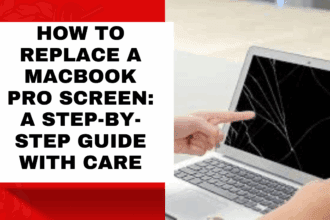
How to Replace a MacBook Pro Screen: A Step-by-Step Guide with Care
If your MacBook Pro display is cracked, flickering, or not responding—this is not just a technical problem. It's an interruption…