By using this site, you agree to the Privacy Policy and Terms of Use.
Accept

Gadget Issues

Fix Your Gadgets

  • About Us
  • How to Fix
  • Error Fix
  • Tutorial
  • Tech News
© 2025 All Rights Reserved.
Reading: How to Get Rid of Those Annoying White Bars on Your Television Screen
Share
Sign In
Notification Show More
Font ResizerAa

Gadget Issues

Fix Your Gadgets

Font ResizerAa
  • About Us
  • How to Fix
  • Error Fix
  • Tutorial
  • Tech News
Search
  • About Us
  • How to Fix
  • Error Fix
  • Tutorial
  • Tech News
Have an existing account? Sign In
Follow US
© 2022 Foxiz News Network. Ruby Design Company. All Rights Reserved.
Gadget Issues > Blog > How to Fix > How to Get Rid of Those Annoying White Bars on Your Television Screen
How to Fix

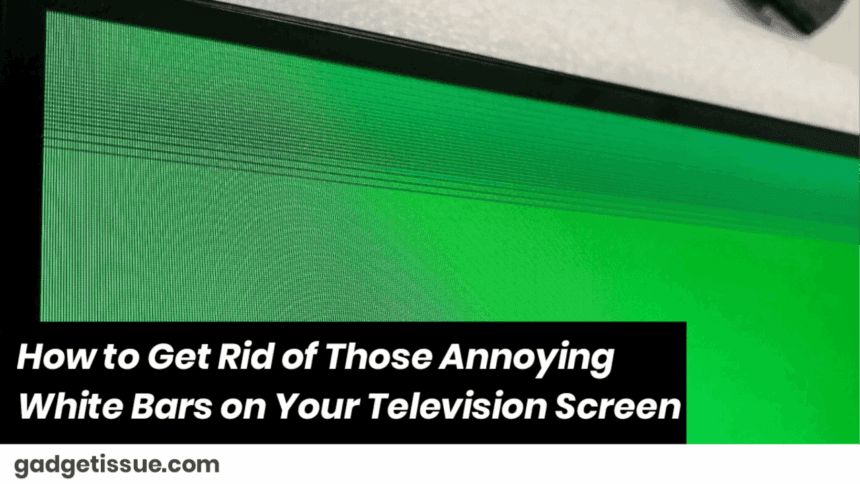
How to Get Rid of Those Annoying White Bars on Your Television Screen

skynet
Last updated: May 23, 2025 8:01 am
skynet
Share
3 Min Read
SHARE

Yes, those pesky empty spaces on the sides or top and bottom — they can totally ruin your viewing experience. But don’t worry! Humwe and I will sort this for you in no time. In most cases, those white bars occur due to picture settings, resolution issues, or perhaps a loose cable. Let’s have them disappear in a few simple steps.

Contents
Why Do You Have White Bars on Your TV?How to Get Rid of White Bars on Your TV — Simple1. Search for Your TV’s Picture Size or Aspect Ratio2. Alter the Settings on Your Cable Box, Streaming Device, or Console3. Utilize the Zoom or Format Button on Your Remote4. Inspect Your Cables5. Update Your TV’s Firmware6. Reset Your Picture Settings

Why Do You Have White Bars on Your TV?

White bars appear when the dimensions and shape of your TV screen and video you’re viewing are not in synchronization. It could be your TV settings or devices you’re viewing with—like your cable box or streaming device—being out of sync.

How to Get Rid of White Bars on Your TV — Simple
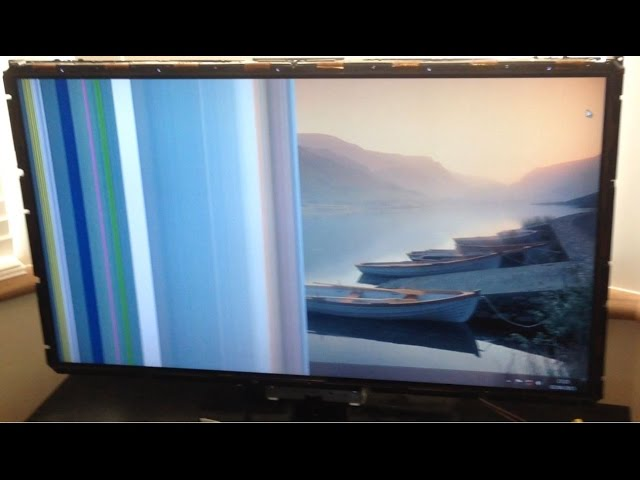
1. Search for Your TV’s Picture Size or Aspect Ratio

Go into your TV settings and look for settings called Picture Size, Screen Format, or Aspect Ratio. You will have choices like 16:9, Zoom, Wide, or Fit to Screen. Experiment changing to 16:9 or Fit to Screen and observe whether the bars disappear.

2. Alter the Settings on Your Cable Box, Streaming Device, or Console

Other instances, however, the problem is not the TV, but the device that is transmitting the video signal. Check that device’s video or display settings and that it is set to your TV’s resolution — usually 1920×1080 for Full HD TVs. If set strangely, you will see white bars.

3. Utilize the Zoom or Format Button on Your Remote

All TV remotes have Zoom, Format, or Wide buttons. Press them to cycle through the sizes of the screen. Find the one that fills the whole screen without omitting something important.

4. Inspect Your Cables

Dangling or loose HDMI or other cables cause display issues. Remove and insert them firmly. If possible, swap the HDMI cable with a different one to see if that solves the problem.

5. Update Your TV’s Firmware

Every so often, a software update will also correct software bugs that result in screen problems. Check your TV settings for a software update and download it if available.

6. Reset Your Picture Settings

As a last resort, restore your TV’s picture settings back to their factory default settings. This will remove any unusual settings that produce white bars.

Also Read : How to Correctly Clean Corrosion from a MacBook Pro Logic Board

You Might Also Like

Why You Need to Stop Using Magnetic USB-C Cables Immediately

10 Tech Troubleshooting Tips to Fix Your Gadgets

How to Spot Hidden Damage After Dropping Your Phone

10 Common Samsung Phone Repair Problems and Solutions

Top Reasons Smartphones Overheat & How to Prevent It

TAGGED:Fix TV Screen IssuesRemove White BarsScreen Calibration TipsTelevision Picture ProblemsTV Display FixTV Picture AdjustmentTV Screen TroubleshootingWhite Bars on TV Screen
Share This Article
Facebook Twitter Copy Link Print
Share
Previous Article How to Fix Your Laptop Battery: Easy Steps You Can Try Today
Next Article How to Fix Your TV When It Keeps Turning On and Off

Latest News

Green Lines on Phone Screen
What Causes Sudden Green Lines or Black Spots on Your Phone Screen?
Uncategorized
The Master Blueprint for 2026: Top 8 Essential Laptop and Computer Repair Tips
How to Fix
Fix a water-damaged phone in 2026 using the silica gel method. Learn why the rice myth fails and follow our 3-phase emergency guide to rescue your device and data.
Don’t Use Rice: The Definitive 2026 Guide to Saving a Water-Damaged Phone
How to Fix
Formatted, fact-checked, and optimized by Gemini AI (2026).
Why Laptop Performance Drops and How Expert Adelaide Services Restore Speed in 2026
How to Fix
//

“Struggling with slow internet or other gadget problems? Our blog offers step-by-step solutions to common tech issues, helping you troubleshoot and resolve problems quickly and efficiently.”

Quick Link

  • Contact Us
  • Privacy Policy
  • Terms and Conditions
  • Cookie Policy
  • Disclaimer

Read Categories

  • Error Fix
  • How to Fix
  • Tech News
  • Tutorial
  • Uncategorized

Find Us on Socials

Follow US
© 2025 Gasgetissues. All Rights Reserved.
Welcome Back!

Sign in to your account


Lost your password?