Dropping your phone is a heart-stopping moment. We have all experienced it. You pick it up and anxiously check the screen. Consequently, if there is no visible crack, you breathe a massive sigh of relief.
However, here is a truth many people do not realize: just because your phone looks fine does not mean it escaped damage.

Modern smartphones are packed with delicate internal components. Therefore, a single drop can cause issues that are not immediately obvious. At repair centers like , technicians regularly see phones that appear perfectly normal on the outside. Yet, they are quietly suffering from hidden damage on the inside.
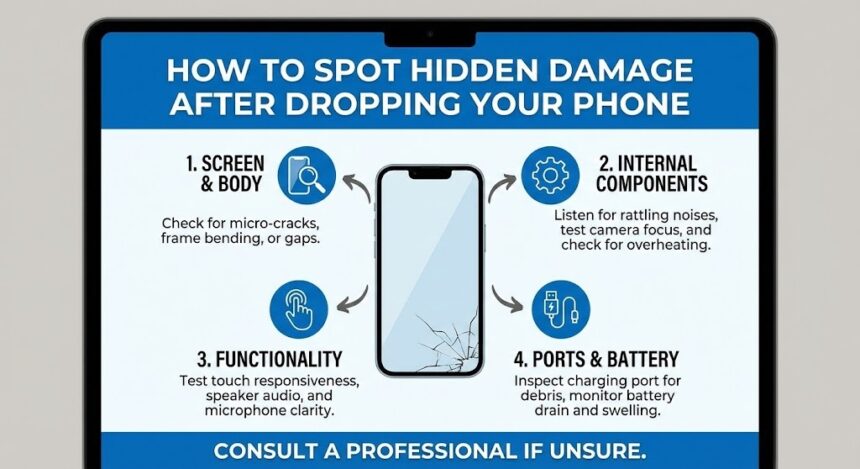
Knowing how to spot these warning signs early is crucial. Ultimately, it can save you from sudden failures, data loss, or costly repairs later. Let’s break down exactly what to look for after your phone takes a tumble.
Why Hidden Damage Is So Common
Phones today are designed to be slim, lightweight, and incredibly powerful. While that is great for everyday use, it comes with a downside. Internal parts like connectors, sensors, and microchips are tightly packed. As a result, they are highly sensitive to physical impact.
When a phone hits the ground, the force does not just affect the screen. Shockwaves travel through the entire device. This can potentially loosen internal connections, damage delicate components, or weaken parts that may fail weeks later. This is exactly why a professional inspection from experts like or local technicians is often recommended, even when external damage seems minor.
Touchscreen Issues That Appear Gradually
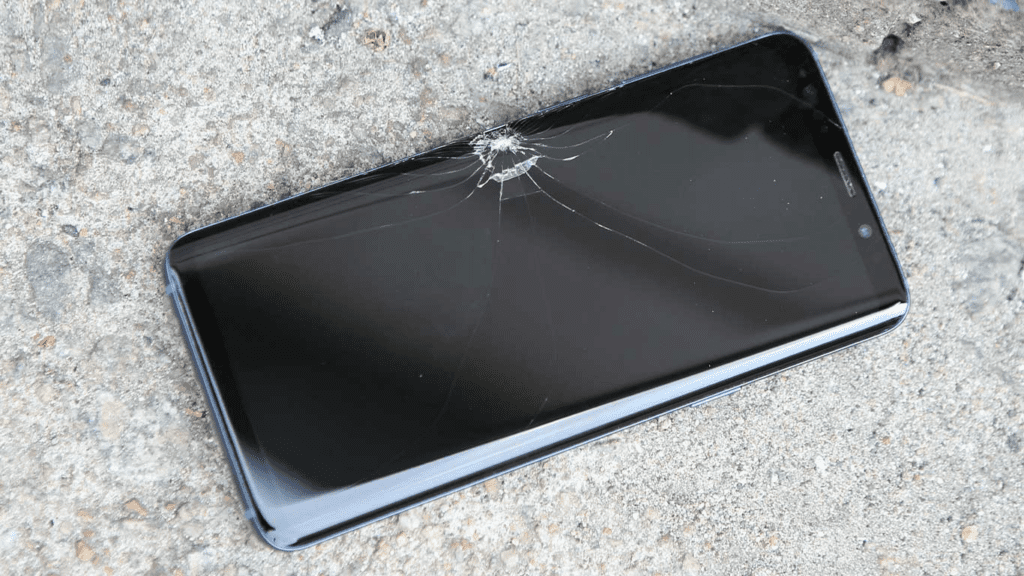
One of the most common signs of hidden damage is a subtle touchscreen malfunction. Right after the drop, the screen may turn on and respond normally. However, problems can easily develop over time.
Watch for these red flags:
- Delayed touch response.
- Random touches or “ghost tapping.”
- Areas of the screen that completely stop responding.
- Inconsistent scrolling or sudden typing errors.
These issues usually indicate damage to the digitizer layer located right beneath the glass. Fixerman frequently sees this after drops that did not shatter the screen but still disrupted the internal layers.
Battery Problems After a Drop
Battery damage is especially concerning. In fact, it can be downright dangerous if ignored. Even if your phone still charges, a heavy drop may have affected the lithium-ion battery or its internal connection.
Warning signs include:
- The battery draining much faster than usual.
- The phone shutting down unexpectedly at random percentages.
- The device during charging or normal use.
- The battery percentage jumping up or down erratically.
If you notice any of these symptoms after dropping your phone, it is important to have it checked immediately. Technicians treat battery-related issues with high priority due to potential fire or safety risks.
Audio Changes You Shouldn’t Ignore
Speakers and microphones are far more fragile than many people realize. A drop can partially damage them without fully knocking them out.
Pay close attention to:
- Muffled or distorted sound during your phone calls.
- Low speaker volume, even at maximum settings.
- People complaining that they cannot hear you clearly.
- Crackling, popping, or buzzing noises.
These symptoms may point to internal speaker damage. Alternatively, they could indicate microphone issues or loose connections caused by the impact.
Camera and Lens Problems
Camera damage is not always obvious right away. Your camera app might open and appear to work. However, hidden issues can severely affect image quality.
Check your camera for:
- Blurry photos, even when the outer lens is perfectly clean.
- Trouble locking focus on subjects.
- The camera app crashing unexpectedly.
- Unusual dark spots or lines appearing in your photos.
Internal camera modules can shift slightly after a fall. Consequently, this leads to focusing problems that worsen over time. This kind of damage is especially common in phones dropped directly on their corners.
Charging Port and Connectivity Issues
If your phone starts having trouble charging after a drop, do not assume it is just a bad cable. Charging ports are directly connected to the internal motherboard and can be easily misaligned by an impact.
Signs of hidden charging damage include:
- The cable feeling loose or needing constant adjustment.
- Slow or highly inconsistent charging speeds.
- The phone failing to recognize plugged-in accessories.
Wi-Fi, Bluetooth, and Cellular Signal
Internal antennas are also particularly vulnerable during drops. Damage to these components often goes completely unnoticed until your connectivity becomes unreliable. Watch out for weak Wi-Fi signals, frequent Bluetooth disconnections, or suddenly dropped calls.
When to Get a Professional Inspection
One of the trickiest aspects of hidden damage is its delayed onset. Your phone may work fine for days or even weeks after the drop before issues finally begin to show. This happens because micro-cracks expand with heat, and loose connections worsen with daily movement.
If you notice any unusual behavior after dropping your phone, it is wise to have it checked by professionals. A diagnostic inspection can identify hidden internal damage, prevent sudden device failure, and ultimately protect your precious data.
Also Read : How to Shut Down, Restart, or Repair a Frozen Apple Watch