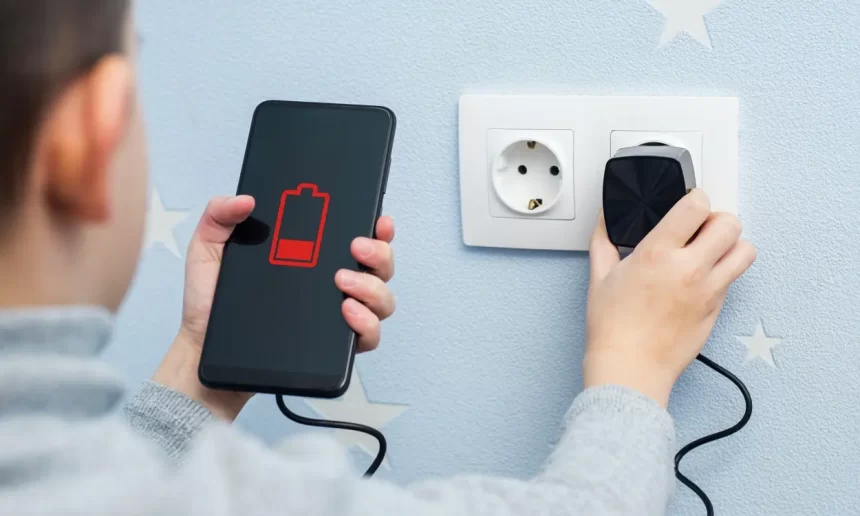
After a long and hectic day, you finally plug in your practically dead smartphone battery at home to discover that it is no longer charging. It’s reasonable to feel a little alarmed, but don’t give up just yet. Here are some fast fixes you may try if your phone won’t charge.
Check out the Ampere app
For determining whether and how much your phone is charging, Ampere is a great app. In essence, it indicates the amount of electricity that is being drawn from your smartphone throughout the charging process. As a result, the app is excellent for determining whether your phone is charging at all and for determining the most effective charging technique.
Try it out and check the battery life of your plugged-in phone. Your device is charging if the number in the app is green; if it is orange and negative, it is using power.
Is your cable in good condition?
There are a lot of reasons why your phone might not charge, but if it’s an accessory you’ve owned for a long time, checking the cable is one of the first things you should do. Our wires endure a great deal of abuse. In addition to taking them to a lot of locations, we frequently trip or step on them. My robot vacuum occasionally consumes mine as well. We carelessly place them in bags, they frequently become twisted, and so forth.
Examine your iPhone or Android charging cable carefully to look for any obvious damage. Cables that have rips, bends, cuts, or other general damage will likely malfunction. Additionally, see if it works by charging another device with it. If so, the gadget may be the problem. You can also try charging your smartphone’s battery with a different cord.
You’ll need to obtain a replacement cable if you discover that the problem is a damaged one.
It’s also crucial to remember that some smartphone manufacturers employ exclusive charging methods. Therefore, even if your cable’s form factor (such as a USB-C converter) is compatible with your smartphone, it can be charging more slowly than usual if you’re using it from another device. Try using a different cable in this situation to see if it works.
ALSO READ: Apple’s Services Revenue Hits Record $100 Billion, Surpasses 1 Billion Subscriptions in 2024
How about the adapter?
Of course, the wall charger for an iPhone or Android device is just as crucial as the cable. If your phone isn’t charging, go ahead and test it out. Look for any visible damage. Outlet bends or cracks are immediate warning signs. To find out if this is the issue, try using it with different gadgets and switching it out with a different brick.
Check your charging port
Any disposable can with compressed air should work. Purchasing an electric compressed air machine could be wise if you frequently want compressed air. Although there are a lot on Amazon, I have used the XPOWER A-2S for a number of years and have not experienced any issues. It continues to thrive!
Recently, have you noticed that the port feels loose? Overuse can cause ports to deteriorate. There may also be indications of rusting inside. Other than replacing the phone or attempting to replace the port, there is unfortunately not much you can do about this.
It’s also a good idea to see whether your phone has a moisture detection warning if it was recently in contact with fluids. By doing this, the gadget won’t be able to charge till the port is dry. When you plug in your phone charger, this alert appears in your notifications.
Test a wireless charger
This is a simple method to see if the issue is with the phone’s port or accessories if your phone is capable of wireless charging and you have a wireless charger. Simply try using a wireless charger to charge your iPhone or Android device.
This can also be a short-term workaround to keep your phone functional while you diagnose and fix the issue. However, if your phone isn’t charging using a wireless charger either, you may have a more serious battery problem.
Try a different power source
Check to verify if charging your phone with another device works by plugging it into the same socket. Outlets malfunction occasionally, and electrical issues may arise in a particular area of your house. Furthermore, certain power sources may not be very strong. Try other outlets around the home if you encounter problems with yours.
It’s possible that people attempting to charge their smartphones via a power strip or USB port on a computer aren’t getting the juice they need. Try switching to a standard outlet to see if that resolves your charging issues.
Turn your phone off or restart it
For all things tech, this is a magic solution that usually works. Restarting your phone will sometimes restore proper operation. Completely shutting down your phone may also improve the charging of its battery. Charging performance may be impacted by any background tasks or excessive usage.
How to turn off or restart an Android phone:
- Press the side and volume up buttons simultaneously.
- Select either Power off or Restart.

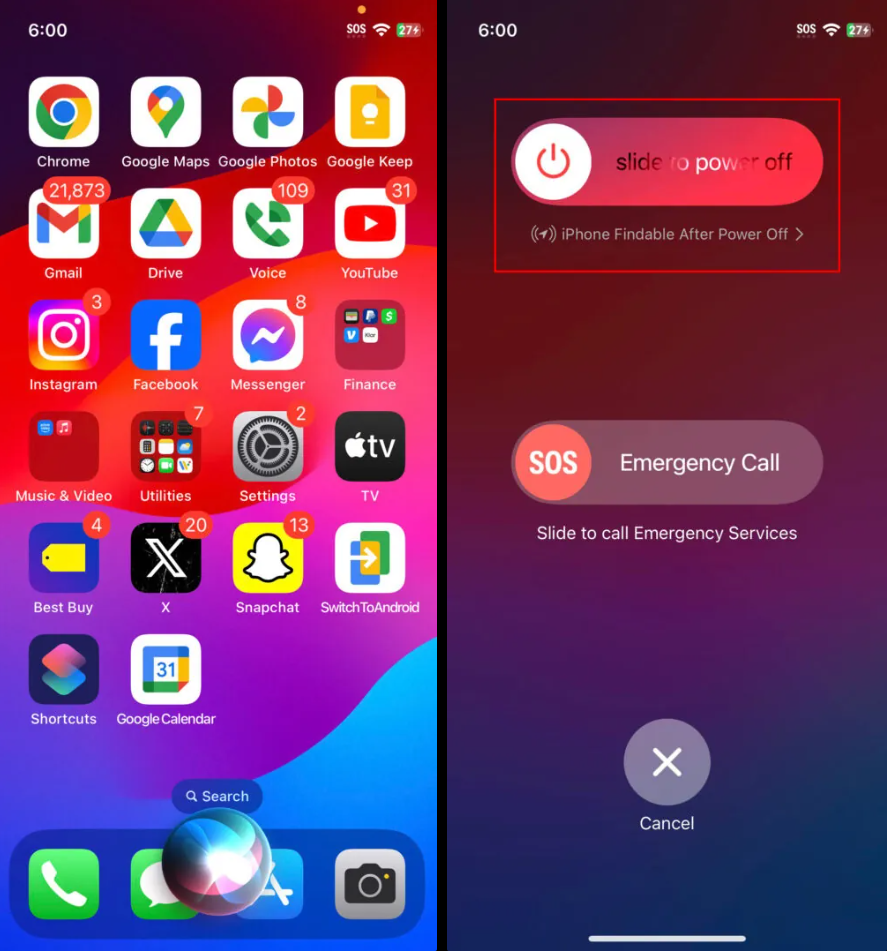
How to restart an iPhone:
- Simultaneously press and hold the side and either the volume down or volume up button for a few seconds.
- Release when the power menu shows up.
- Use the slide to power off slider to turn off the device.
- When the iPhone is completely off, press and hold the side button until you see the Apple logo on the screen.
Can you replace the battery?
These days, smartphones with detachable batteries are extremely uncommon, but if you still own one of these treasures, you might want to try a few solutions. To begin, you might try taking out the battery and reinstalling it to see if that fixes the issue. In addition, you might want to replace the old battery with a new one. Compared to repairing or replacing a device, this will be far less expensive.
A non-removable battery can also be changed, but it takes a lot more expertise and work. You would need to disassemble the gadget, adjust the components, and perhaps even solder it. We would suggest hiring a professional to replace the battery on a gadget that has a non-removable battery rather than trying to do it yourself.
First, see if your item is still protected by insurance or warranty. If not, there are large stores like Best Buy that will handle it for you. Another option is to search for a nearby phone repair business.
Did you completely deplete your battery?
Even if you are only using it to start the charging process, your phone still requires power to function properly. In order to have some energy left over to handle tasks the following time, both Android and iPhone smartphones actually turn off a little before the battery runs out. It’s normal to encounter issues after fully draining batteries. Fortunately, since it’s not a major issue, folks in this situation are the luckiest of the group.
You’ll need to wait longer and keep the phone plugged in. The phone will eventually wake up and begin charging on its own. You can attempt a soft reset, which on Android is accomplished by holding down the side button for roughly 30 seconds. To turn off the screen on an iPhone, users must push the volume up and down buttons, then press and hold the side button.
Check for software updates
A simple solution might be to check for software updates. Of course, this is given you have some power to go through the upgrading process.
How to update your Android phone:
- Open the Settings app.
- Go into System.
- Tap on Software Updates.
- Tap on System update.
- Hit Check for Update.
- The phone will let you know if your device has available updates. Follow the instructions to complete the update.

How to update your iPhone:
- Launch the Settings app.
- Go into General.
- Tap on Software Update.
- The system will look for updates. If there are any available, hit Update Now.