By using this site, you agree to the Privacy Policy and Terms of Use.
Accept

Gadget Issues

Fix Your Gadgets

  • About Us
  • How to Fix
  • Error Fix
  • Tutorial
  • Tech News
© 2025 All Rights Reserved.
Reading: How to Restore or Apply an Oleophobic Coating: Bring Back That Smooth, Smudge-Free Screen
Share
Sign In
Notification Show More
Font ResizerAa

Gadget Issues

Fix Your Gadgets

Font ResizerAa
  • About Us
  • How to Fix
  • Error Fix
  • Tutorial
  • Tech News
Search
  • About Us
  • How to Fix
  • Error Fix
  • Tutorial
  • Tech News
Have an existing account? Sign In
Follow US
© 2022 Foxiz News Network. Ruby Design Company. All Rights Reserved.
Gadget Issues > Blog > How to Fix > How to Restore or Apply an Oleophobic Coating: Bring Back That Smooth, Smudge-Free Screen
How to Fix

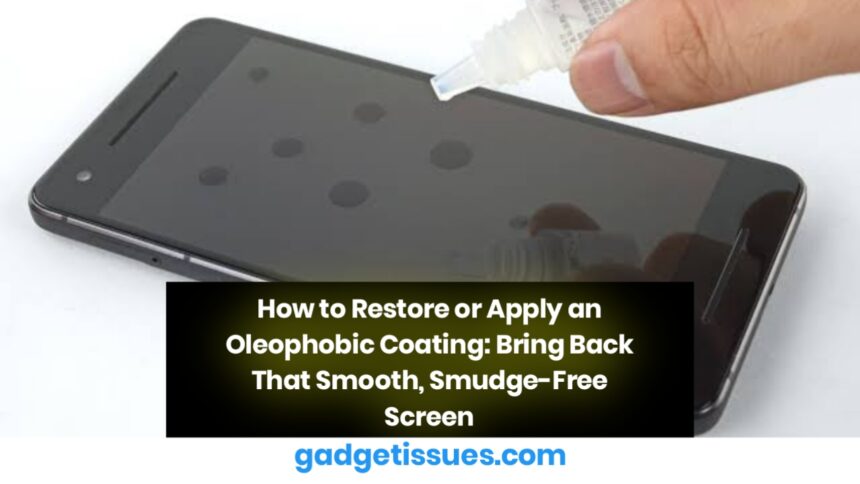
How to Restore or Apply an Oleophobic Coating: Bring Back That Smooth, Smudge-Free Screen

skynet
Last updated: April 22, 2025 6:53 am
skynet
Share
3 Min Read
SHARE

Over time, your smartphone screen might start feeling less smooth and looking smudgier—even after a good wipe. That’s because the oleophobic coating (which repels oils and fingerprints) wears off with daily use. But here’s the good news: you can restore or reapply this coating at home with just a few tools and a little care.

Contents
What is an Oleophobic Coating?How to Tell If the Coating is GoneTools You’ll NeedStep-by-Step Guide1. Clean the Screen Thoroughly2. Apply the Oleophobic Coating3. Let It Cure4. Polish It OffBonus TipsFinal Thoughts

What is an Oleophobic Coating?

An oleophobic coating is a thin layer applied to glass surfaces—especially on smartphones and tablets—to resist oils from your skin. It keeps your screen cleaner, smoother, and easier to swipe on. Unfortunately, this coating doesn’t last forever.

How to Tell If the Coating is Gone

  • Your screen feels sticky or draggy instead of smooth.
  • Fingerprints stick more and are harder to clean.
  • The screen doesn’t look as glossy or shiny as it used to.

Tools You’ll Need

  • Oleophobic coating solution (available online)
  • Microfiber cloth
  • Isopropyl alcohol (preferably 90%+)
  • Nitrile gloves (optional but recommended)
  • Cotton pads or lens cleaning wipes

Step-by-Step Guide
1. Clean the Screen Thoroughly

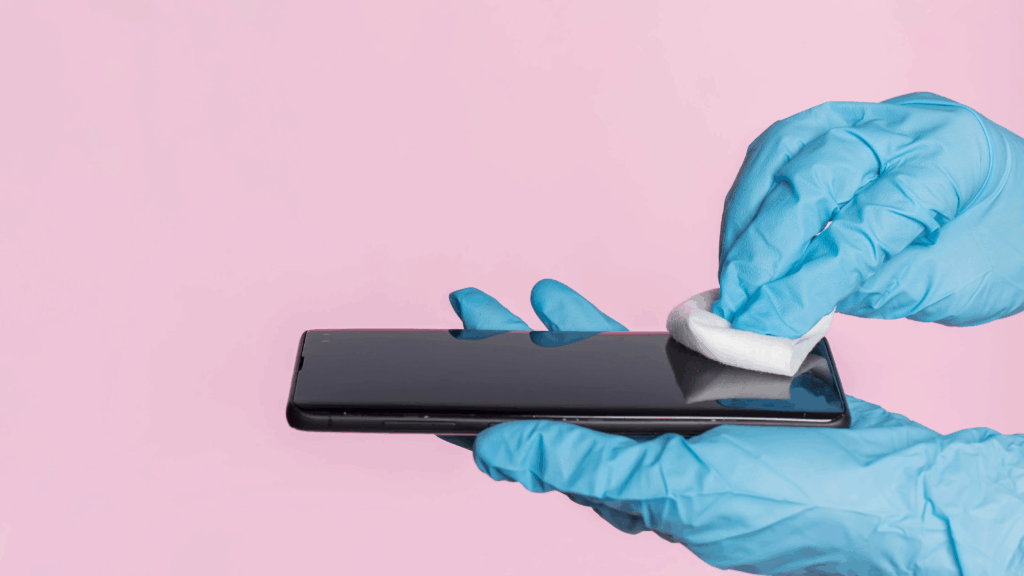
Use a microfiber cloth and isopropyl alcohol to clean your screen. Make sure all dust, oils, and dirt are gone. The screen must be completely clean before applying the new coating.

2. Apply the Oleophobic Coating

Put a few drops of the oleophobic coating on a soft cloth or applicator. Gently rub it across the screen in circular motions for 8–10 minutes. Apply even pressure and avoid touching the screen with bare fingers.

3. Let It Cure

Allow the coating to cure for 8–12 hours. Don’t use your phone during this period. Avoid touching or wiping the screen.

4. Polish It Off

After the curing time, use a clean microfiber cloth to buff the screen lightly. This helps remove excess coating and gives it that glassy smooth finish.

Bonus Tips

  • Reapply every 2–3 months if you’re a heavy phone user.
  • Use a screen protector with built-in oleophobic coating to reduce wear on the actual screen.
  • Avoid cleaning your screen with harsh chemicals—they strip the coating faster.

Final Thoughts

Restoring your phone’s oleophobic coating is a simple but powerful way to make your device feel new again. It improves the look, feel, and usability of your screen—without spending on a replacement.

Also Read : Common iPhone Damages and How to Fix Them

You Might Also Like

8 Ways to Troubleshoot Any Speaker Issues on Your Android Phone

Free Up Storage Space on Your Phone in 6 Easy Steps

How to Effectively Remove Water From Your Samsung Phone: A Step-by-Step Guide

How to Fix MacBook Display “Staingate” Issue: A Step-by-Step Guide

How to Fix a Water-Damaged Charging Port

TAGGED:Benefits of a Smudge-Free DisplayCleaning the Screen Thoroughly Before ApplicationDIY Solutions vs Professional HelpMaintaining Your Phone’s Premium FeelProlonging Screen Clarity and Touch SensitivityStep-by-Step Guide to Reapply CoatingTools and Kits for Restoration
Share This Article
Facebook Twitter Copy Link Print
Share
Previous Article Unlock the Secret: How to Make Your Phone Battery Last Twice as Long
Next Article Troubleshooting Guide: How to Fix Your Google Pixel If It Won’t Turn On

Latest News

Small visual elements like gears, data points, and element symbols
How To Fix Bluetooth Not Working After Phone Update
How to Fix
why is my phone not connecting to wifi
Why Won’t My Android Phone Connect to Wi-Fi? (And How to Fix It)
How to Fix
magnetic USB C cables
Why You Need to Stop Using Magnetic USB-C Cables Immediately
How to Fix
Troubleshooting Tips to Fix Your Gadgets
10 Tech Troubleshooting Tips to Fix Your Gadgets
How to Fix
//

“Struggling with slow internet or other gadget problems? Our blog offers step-by-step solutions to common tech issues, helping you troubleshoot and resolve problems quickly and efficiently.”

Quick Link

  • Contact Us
  • Privacy Policy
  • Terms and Conditions
  • Cookie Policy
  • Disclaimer

Read Categories

  • Error Fix
  • How to Fix
  • Tech News
  • Tutorial
  • Uncategorized

Find Us on Socials

Follow US
© 2025 Gasgetissues. All Rights Reserved.
Welcome Back!

Sign in to your account


Lost your password?