By using this site, you agree to the Privacy Policy and Terms of Use.
Accept

Gadget Issues

Fix Your Gadgets

  • About Us
  • How to Fix
  • Error Fix
  • Tutorial
  • Tech News
© 2025 All Rights Reserved.
Reading: What to Do When the Top Headstrap Anchor Breaks on Your Headset
Share
Sign In
Notification Show More
Font ResizerAa

Gadget Issues

Fix Your Gadgets

Font ResizerAa
  • About Us
  • How to Fix
  • Error Fix
  • Tutorial
  • Tech News
Search
  • About Us
  • How to Fix
  • Error Fix
  • Tutorial
  • Tech News
Have an existing account? Sign In
Follow US
© 2022 Foxiz News Network. Ruby Design Company. All Rights Reserved.
Gadget Issues > Blog > How to Fix > What to Do When the Top Headstrap Anchor Breaks on Your Headset
How to Fix

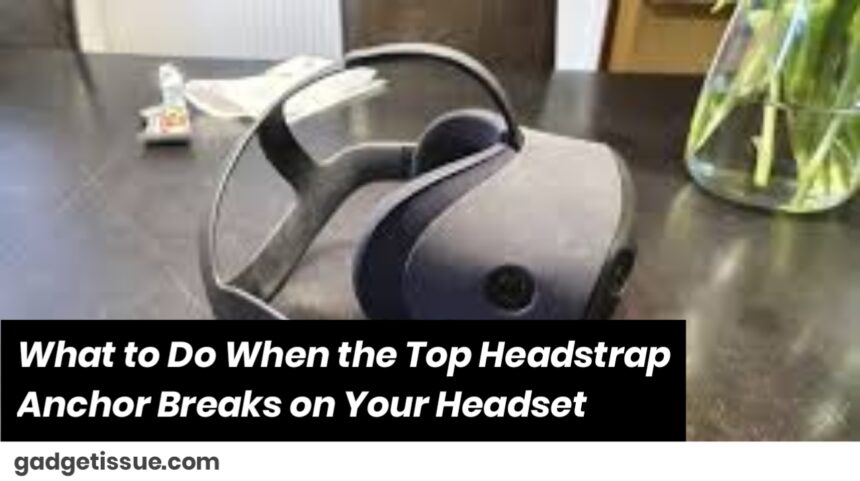
What to Do When the Top Headstrap Anchor Breaks on Your Headset

skynet
Last updated: May 23, 2025 3:36 am
skynet
Share
3 Min Read
SHARE

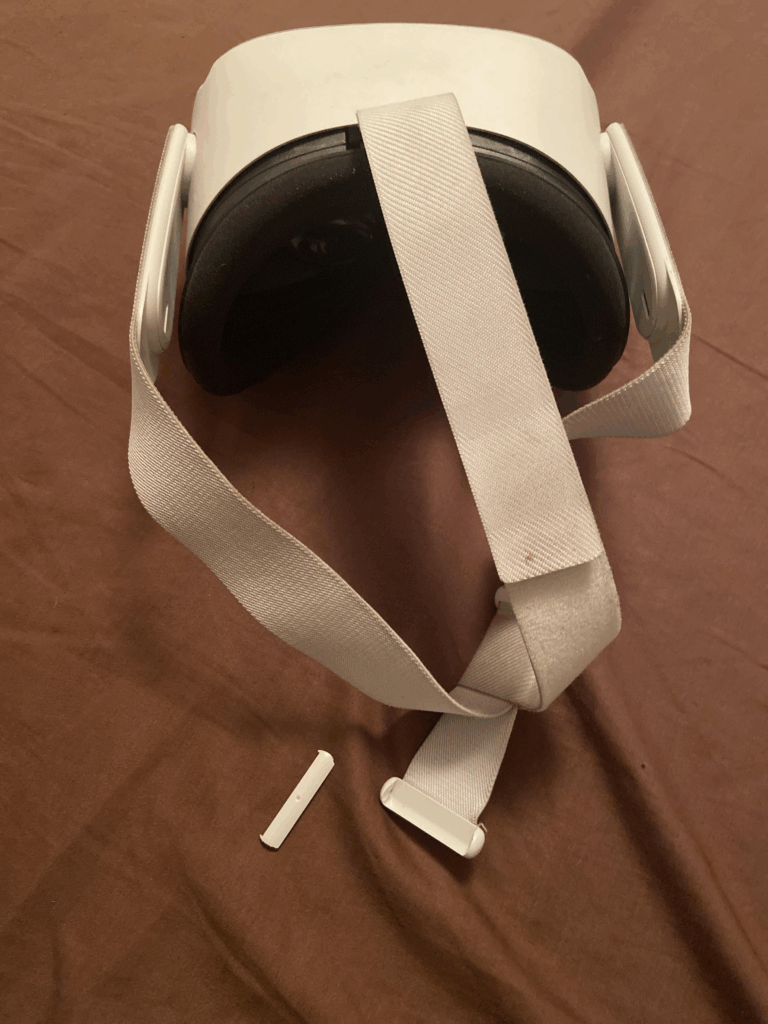
Man, there’s nothing more annoying than when your headset strap suddenly snaps right at the anchor. You’re just going about your day, listening to your favorite tunes or crushing that game, and boom—your headset feels loose or like it’s about to fall apart. I’ve been there, trust me. But hey, it’s actually not the end of the world.

Contents
So, Why Does This Anchor Break in the First Place?Can You Fix It Yourself? Heck Yeah!Where Do You Even Find Replacement Parts?Should You Just Replace the Whole Strap?How to Keep This From Happening Again

So, Why Does This Anchor Break in the First Place?

Well, the anchor is usually made of plastic or some light material that’s just not meant to last forever. If you’re someone who’s always stretching the strap, tossing your headset in a bag, or accidentally dropping it (who hasn’t?), it starts to weaken. Over time, it cracks or breaks right where it connects to the strap.

Think of it like bending a paperclip too many times—it eventually snaps.

Can You Fix It Yourself? Heck Yeah!

If the break looks clean, you can probably glue it back together. Just grab some strong plastic glue or superglue and hold it tight for a few minutes. Easy peasy. If you want a quick fix to keep you going, zip ties or little clamps work wonders until you get the real fix done.

Where Do You Even Find Replacement Parts?

Most headset brands sell replacement straps or anchor pieces online. It’s usually best to get the official stuff—it fits better and lasts longer. Just check their website or Amazon. If you go for third-party parts, be cautious because sometimes they’re cheap junk that breaks again fast.

Should You Just Replace the Whole Strap?

If your strap is already pretty old or the damage is bad, it might be easier and smarter to replace the whole thing. Plus, it’s a chance to upgrade to something comfier or cooler-looking. Win-win, right?

How to Keep This From Happening Again

Here’s the deal—headsets get beat up when you’re using them daily, but a little care goes a long way:

  • Don’t stretch or yank on the strap too hard.
  • Keep your headset stored somewhere safe when you’re not using it—no stuffing it in tight bags where it can get squished.
  • Check the strap every now and then for tiny cracks or signs it’s about to break.

Catching things early can save you a big headache later on.

Honestly, everyone’s been there with a busted headset strap. It sucks, but with a little patience and some TLC, you can get it sorted without dropping a ton of cash. If you want, I can even help you find good glue or replacement parts!

Also Read : Apple Resolves Critical Zero-Day Vulnerability Affecting All Devices with Latest Update


You Might Also Like

How to Spot Hidden Damage After Dropping Your Phone

10 Common Samsung Phone Repair Problems and Solutions

Top Reasons Smartphones Overheat & How to Prevent It

How to Effectively Remove Water From Your Samsung Phone: A Step-by-Step Guide

How to Fix MacBook Display “Staingate” Issue: A Step-by-Step Guide

TAGGED:Fix Headset StrapHeadset DIYHeadset IssuesHeadset MaintenanceHeadset Problemsheadset repairHeadset TipsHeadset TroubleshootingHeadstrap BreakHeadstrap ReplacementTop Headstrap AnchorVR AccessoriesVR EquipmentVR Gear MaintenanceVR Gear RepairVR Headset CareVR Headset FixVR Headset HelpVR SetupVR Tech Support
Share This Article
Facebook Twitter Copy Link Print
Share
Previous Article How to Fix a Split Headphone Headband (Without Tossing Them)
Next Article How to Fix a Headset Jack That’s Not Working

Latest News

Green Lines on Phone Screen
What Causes Sudden Green Lines or Black Spots on Your Phone Screen?
Uncategorized
The Master Blueprint for 2026: Top 8 Essential Laptop and Computer Repair Tips
How to Fix
Fix a water-damaged phone in 2026 using the silica gel method. Learn why the rice myth fails and follow our 3-phase emergency guide to rescue your device and data.
Don’t Use Rice: The Definitive 2026 Guide to Saving a Water-Damaged Phone
How to Fix
Formatted, fact-checked, and optimized by Gemini AI (2026).
Why Laptop Performance Drops and How Expert Adelaide Services Restore Speed in 2026
How to Fix
//

“Struggling with slow internet or other gadget problems? Our blog offers step-by-step solutions to common tech issues, helping you troubleshoot and resolve problems quickly and efficiently.”

Quick Link

  • Contact Us
  • Privacy Policy
  • Terms and Conditions
  • Cookie Policy
  • Disclaimer

Read Categories

  • Error Fix
  • How to Fix
  • Tech News
  • Tutorial
  • Uncategorized

Find Us on Socials

Follow US
© 2025 Gasgetissues. All Rights Reserved.
Welcome Back!

Sign in to your account


Lost your password?




