By using this site, you agree to the Privacy Policy and Terms of Use.
Accept

Gadget Issues

Fix Your Gadgets

  • About Us
  • How to Fix
  • Error Fix
  • Tutorial
  • Tech News
© 2025 All Rights Reserved.
Reading: How to Clean Your PlayStation 5 (Without Damaging It)
Share
Sign In
Notification Show More
Font ResizerAa

Gadget Issues

Fix Your Gadgets

Font ResizerAa
  • About Us
  • How to Fix
  • Error Fix
  • Tutorial
  • Tech News
Search
  • About Us
  • How to Fix
  • Error Fix
  • Tutorial
  • Tech News
Have an existing account? Sign In
Follow US
© 2022 Foxiz News Network. Ruby Design Company. All Rights Reserved.
Gadget Issues > Blog > How to Fix > How to Clean Your PlayStation 5 (Without Damaging It)
How to Fix

How to Clean Your PlayStation 5 (Without Damaging It)

skynet
Last updated: June 4, 2025 8:08 am
skynet
Share
4 Min Read
SHARE

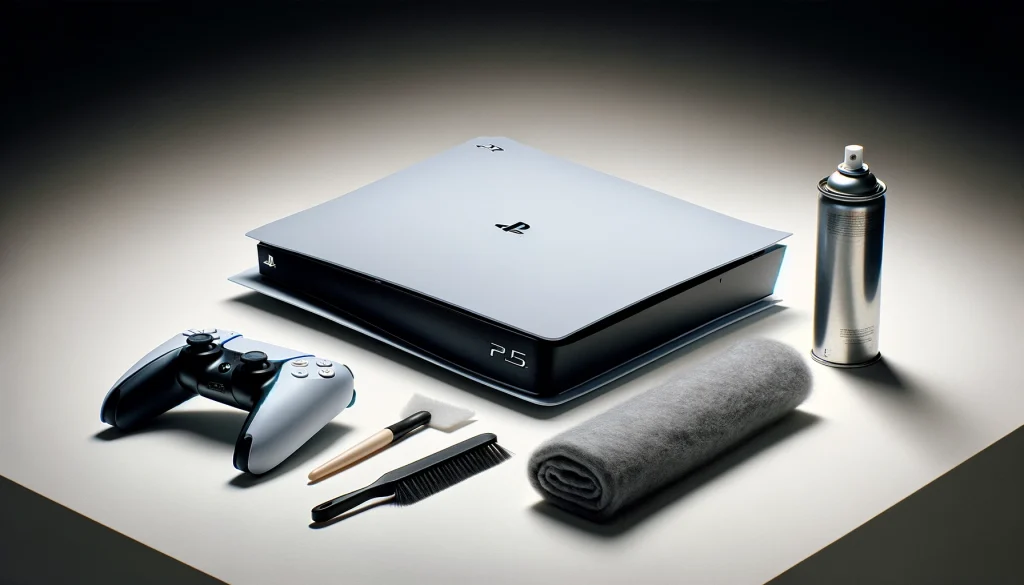
Let’s be honest—most of us don’t think about cleaning our PS5 until it starts sounding like a jet engine or overheating during a boss fight. But dust buildup is real, and it can seriously mess with your console’s performance. Luckily, cleaning your PS5 isn’t hard—just needs a little care. Here’s how to do it the right way.

Contents
First, Why Bother Cleaning It?Step 1: Take Off the CoversStep 2: Clean Out the Dust CatchersStep 3: Don’t Forget the FansStep 4: Clean the Vents and ExteriorA Few Bonus TipsFinal Word

First, Why Bother Cleaning It?

Your PS5 sucks in air to stay cool—which means it also sucks in dust. Over time, that dust clogs up vents and fans, making your console run hotter and louder. In some cases, it might even cause crashes or blank screens. Regular cleaning keeps it quiet, cool, and working like new.

Step 1: Take Off the Covers

Power down your PS5 completely and unplug it. Now, to get started, you’ll need to remove the faceplates (don’t worry, they’re built to come off). Just find the PlayStation logo on the top panel, then gently lift and slide the cover off. Do the same for the bottom.

Step 2: Clean Out the Dust Catchers

Sony designed the PS5 with built-in dust catchers—basically, small pockets where dust collects. You’ll find them under the faceplates.

  • Use a low-powered vacuum or a can of compressed air to clean them out.
  • Wipe around the area with a microfiber cloth.
  • If there’s sticky dust, dab a bit of isopropyl alcohol on the cloth.

Step 3: Don’t Forget the Fans

This is where most of the noise and heat comes from when dust builds up.

  • Carefully aim compressed air into the fan vents (you’ll see them near the corners).
  • You can also use a soft brush to dislodge any gunk.
  • Avoid spinning the fan manually—it can damage the motor.

If you want to go deeper, you can unscrew the fan housing, but only if you’re confident doing so.

Step 4: Clean the Vents and Exterior

Dust also gathers along the edges and around the rear ports. Use your microfiber cloth or a small soft brush to gently clean:

  • The top and bottom vents
  • Rear exhaust vents
  • USB/HDMI ports (don’t poke inside—just wipe around them)

Keep it simple and gentle. No need for water or wet wipes.

A Few Bonus Tips

  • Don’t keep your PS5 on the floor or carpet. It’ll inhale more dust down there.
  • Give it breathing room. Keep it in a well-ventilated spot, away from walls or tight shelves.
  • Clean it once every 1–2 months. More often if your room gets dusty quickly.

Final Word

Your PS5 is a beast, but even beasts need a little TLC. A quick 15-minute clean every few weeks can make a huge difference in performance and lifespan. Plus, nobody wants to hear their console groaning mid-game.

Also Read ; How to Fix an Apple Watch
You Might Also Like

How to Spot Hidden Damage After Dropping Your Phone

10 Common Samsung Phone Repair Problems and Solutions

Top Reasons Smartphones Overheat & How to Prevent It

How to Effectively Remove Water From Your Samsung Phone: A Step-by-Step Guide

How to Fix MacBook Display “Staingate” Issue: A Step-by-Step Guide

TAGGED:Clean ElectronicsClean PS5 SafelyConsole Cleaning TipsConsole LongevityDust Removal PS5Gaming Console CareGaming Setup TipsPlayStation 5 CleaningPlayStation MaintenancePS5 Fan CleaningPS5 MaintenancePS5 overheating fixSafe Electronics CleaningTech Cleaning Guide
Share This Article
Facebook Twitter Copy Link Print
Share
Previous Article Samsung Galaxy S5 Screen Problems and How to Fix Them
Next Article MacBook Pro Hard Drive Replacement – What You Need to Know

Latest News

Green Lines on Phone Screen
What Causes Sudden Green Lines or Black Spots on Your Phone Screen?
Uncategorized
The Master Blueprint for 2026: Top 8 Essential Laptop and Computer Repair Tips
How to Fix
Fix a water-damaged phone in 2026 using the silica gel method. Learn why the rice myth fails and follow our 3-phase emergency guide to rescue your device and data.
Don’t Use Rice: The Definitive 2026 Guide to Saving a Water-Damaged Phone
How to Fix
Formatted, fact-checked, and optimized by Gemini AI (2026).
Why Laptop Performance Drops and How Expert Adelaide Services Restore Speed in 2026
How to Fix
//

“Struggling with slow internet or other gadget problems? Our blog offers step-by-step solutions to common tech issues, helping you troubleshoot and resolve problems quickly and efficiently.”

Quick Link

  • Contact Us
  • Privacy Policy
  • Terms and Conditions
  • Cookie Policy
  • Disclaimer

Read Categories

  • Error Fix
  • How to Fix
  • Tech News
  • Tutorial
  • Uncategorized

Find Us on Socials

Follow US
© 2025 Gasgetissues. All Rights Reserved.
Welcome Back!

Sign in to your account


Lost your password?