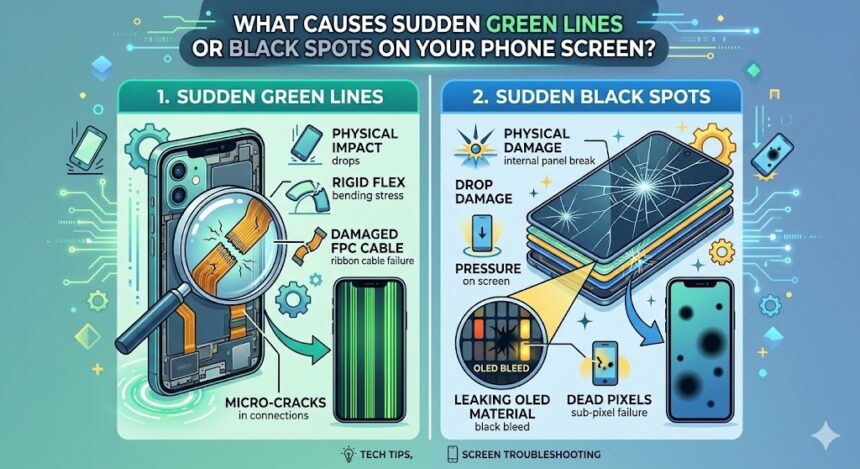
You pick up your phone in the morning, and something is immediately wrong. A glowing green line runs down the display, or a dark, inky patch is spreading in the corner. It is incredibly unsettling, especially when your device seemed perfectly fine the night before.
You are definitely not alone. Screen anomalies like vertical colored lines, dead pixels, and spreading black blotches are incredibly common smartphone issues. Fortunately, understanding exactly what is happening behind the glass can help you determine if you need a quick software fix or a professional hardware repair.
Understanding the Display: OLED vs. LCD
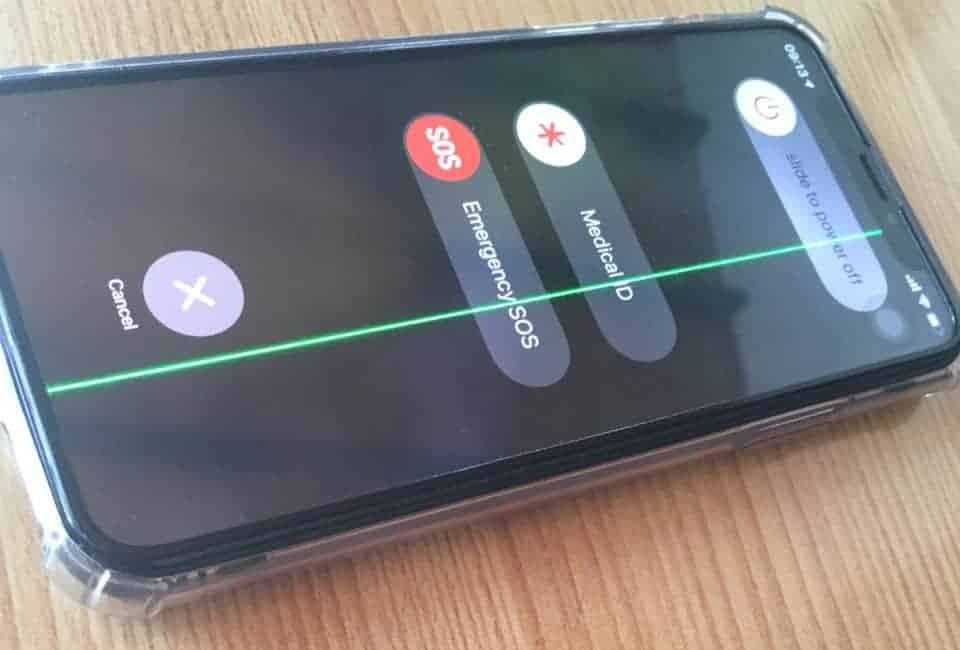
First, it helps to understand how modern smartphone screens actually work. Most phones use either an OLED (Organic Light-Emitting Diode) or LCD (Liquid Crystal Display) panel. These screens contain millions of tiny pixels controlled by highly delicate circuitry underneath. When something disrupts that circuitry—whether physically, electronically, or via software—visible damage instantly appears on the surface.
Common Causes of Green Lines
Vertical lines, particularly green or pink ones, usually point to a connection issue or panel damage.
- Physical Impact: Dropping your phone can knock the internal display connector loose or crack the panel, even if the outer glass remains perfectly intact.
- Pressure Damage: Sitting on your phone or accidentally bending it compresses the delicate liquid crystals or organic compounds inside.
- Moisture Damage: Liquid ingress can cause severe internal corrosion over time, damaging the display driver chip or screen connector.
- Overheating: Excessive heat from prolonged gaming or leaving the phone in a hot car degrades the display driver integrated circuit (IC).
- Faulty Display Driver: If the chip managing image data fails, communication between the processor and the screen breaks down, resulting in colored lines or screen tearing.
Common Causes of Black Spots
Black spots usually indicate physical degradation of the screen’s internal layers.
- LCD Bleed: If the liquid crystal layer cracks, the liquid inside bleeds into surrounding areas, creating growing, irregular dark patches.
- Physical Pressure Points: A sharp object pressing hard against the screen in your pocket can create localized dead zones.
- Burnt OLED Pixels: Static images left on high brightness for extended periods can permanently burn organic pixels, causing “screen burn-in.”
- Trapped Debris: Sometimes, dust or air bubbles trapped beneath a glass screen protector simply mimic the appearance of dead pixels.
Software vs. Hardware: How to Test
Before assuming the worst, you should rule out a software glitch. Sometimes, system bugs cause display anomalies that look exactly like physical damage.
| Troubleshooting Step | Action Required | What It Reveals |
| Restart Device | Perform a full power cycle. | Clears temporary software faults; if the lines disappear, it was a software glitch. |
| Safe Mode | Boot your phone into safe/recovery mode. | If the screen looks normal here, a third-party app is causing the display conflict. |
| Update OS | Install the latest operating system update. | Patches outdated OS versions that contain known display driver bugs. |
| External Display | Mirror your screen to a monitor or TV. | If the monitor looks perfect but your phone doesn’t, the fault is isolated to your phone’s hardware. |
When to Seek Professional Repair
If you have restarted your phone, updated the software, and the spots or lines remain, you are almost certainly dealing with a hardware failure. You should immediately seek professional repair if the black patches are actively growing, the touchscreen is unresponsive, or the lines appeared immediately after a heavy drop.
Warning: Attempting to open your phone or replace the screen yourself without proper training can void your warranty, destroy other internal components, and pose a severe fire risk due to the lithium-ion battery.
Also Read : How to Fix an Asus Laptop That Keeps Restarting