By using this site, you agree to the Privacy Policy and Terms of Use.
Accept

Gadget Issues

Fix Your Gadgets

  • About Us
  • How to Fix
  • Error Fix
  • Tutorial
  • Tech News
© 2025 All Rights Reserved.
Reading: Adobe Firefly Arrives for Android and iOS Devices, Delivering Advanced AI Tools at Your Fingertips
Share
Sign In
Notification Show More
Font ResizerAa

Gadget Issues

Fix Your Gadgets

Font ResizerAa
  • About Us
  • How to Fix
  • Error Fix
  • Tutorial
  • Tech News
Search
  • About Us
  • How to Fix
  • Error Fix
  • Tutorial
  • Tech News
Have an existing account? Sign In
Follow US
© 2022 Foxiz News Network. Ruby Design Company. All Rights Reserved.
Gadget Issues > Blog > How to Fix > Adobe Firefly Arrives for Android and iOS Devices, Delivering Advanced AI Tools at Your Fingertips
How to Fix

Adobe Firefly Arrives for Android and iOS Devices, Delivering Advanced AI Tools at Your Fingertips

skynet
Last updated: June 19, 2025 4:26 am
skynet
Share
3 Min Read
SHARE

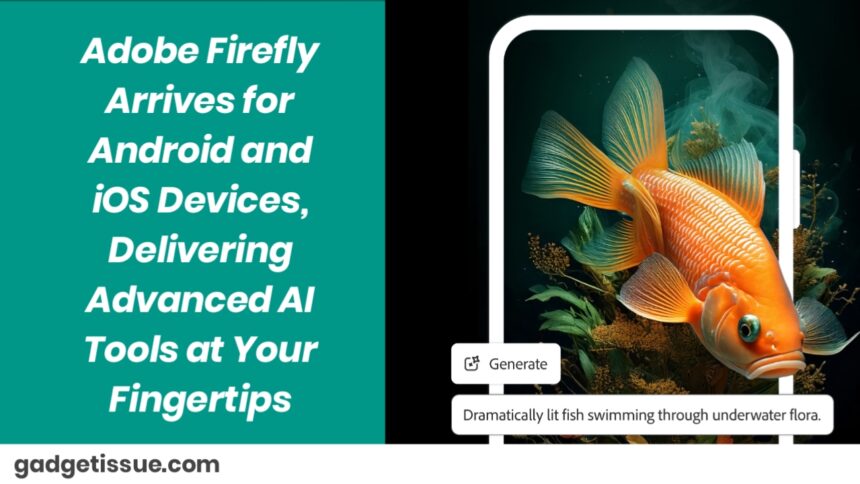
Adobe has introduced the Firefly app on Android and iOS, bringing a world of AI-driven creativity to anyone, anywhere. Whether you’re a creative, a content creator, or just a person who enjoys creating lovely things — Firefly now enables you to create, edit, and realize your ideas from your phone.

Contents
A Leap of Creativity, Fueled by AIHere’s what you can do:Equal Access for All CreatorsFirefly Boards Now Supports VideoWhy This Feels So Meaningful

A Leap of Creativity, Fueled by AI

With the new Firefly app, Adobe unites its own state-of-the-art AI models with those of Google and OpenAI. The outcome is a tool that’s more akin to a creative collaborator than software.

Here’s what you can do:

  • Create images with Adobe’s Firefly Image 3, 4, and 4 Ultra, Google’s Imagen 3 and 4, or OpenAI’s GPT-based models.
  • Make videos with Firefly Video or Google’s Veo 2.
  • Turn images into videos, or create visuals from text inputs.
  • Edit photos with ease, using:
  • Generative Fill to erase or add objects like magic.
  • Generative Expand to expand images naturally beyond their original edges.
  • All that you create automatically syncs to your Adobe Creative Cloud account, so you can begin a project on your desktop and conclude it on the move — or vice versa.

Equal Access for All Creators

  • Adobe wishes to make Firefly accessible to all. To that end:
  • Free users get 10 AI credits a month for simple access to creative tools.
  • Subscribed customers (Creative Cloud or Firefly credit plans) enjoy greater limits of use, depending on their subscription.
  • Consider generative credits as vouchers that allow you to access the AI engine. Minor edits use fewer credits, whereas complete image or video generation uses more.
  • It’s Adobe’s approach to making great technology accessible, but still respecting the value of innovation.

Firefly Boards Now Supports Video

  • Adobe also extended its Firefly Boards platform, now in public beta. Initially developed for moodboarding, it now allows users:
  • Remix video clips
  • Create new footage from basic text input
  • This is made possible through a mix of Adobe’s own video models and third-party technologies like Google’s Veo 3, Luma AI’s Ray2, and Pika 2.2.
  • It’s more than a feature update — it’s a quiet revolution in how people collaborate visually.

Why This Feels So Meaningful

There was a time when design software felt intimidating. Expensive. Complex. Reserved for professionals. But with Firefly on mobile, Adobe‘s tearing down those barriers. It’s not about filters or fancy effects — it’s about empowering everyone to create fearlessly, intuitively, and wherever they are. Whether you’re roughing out an idea in between meetings, cutting a video on the go, or brainstorming something in the dead of night — Firefly is ready to catch up with the speed of inspiration.

Also Read : How to Safely Remove Keycaps from a MacBook Keyboard

You Might Also Like

How to Effectively Remove Water From Your Samsung Phone: A Step-by-Step Guide

How to Fix MacBook Display “Staingate” Issue: A Step-by-Step Guide

How to Fix a Water-Damaged Charging Port

How to Boot Your Samsung Galaxy in Safe Mode – A Step-by-Step Guide

Can’t Boot from USB Flash Drive – Troubleshooting Guide

TAGGED:Adobe FireflyAI toolsAndroidCreative CloudGenerative AIiosMobile app launchMobile creativityOn-device editingTouchscreen design
Share This Article
Facebook Twitter Copy Link Print
Share
Previous Article Boat Launches Wave Fortune Smartwatch in India With NFC Tap-to-Pay and Bluetooth Calling
Next Article YouTube Shorts to Add Google’s Veo 3 AI Video Generator With Native Audio Support This Summer

Latest News

How to Fix “USB Device Not Recognized”: A Complete Troubleshooting Guide
How to Fix
Stable Sight: 5 Ways to Stop Your Laptop Screen from Flickering.
How to Stop Laptop Screen Flickering: A Step-by-Step Fix Guide
How to Fix
Android speaker
8 Ways to Troubleshoot Any Speaker Issues on Your Android Phone
How to Fix
Phone Storage Full Fix
Free Up Storage Space on Your Phone in 6 Easy Steps
How to Fix
//

“Struggling with slow internet or other gadget problems? Our blog offers step-by-step solutions to common tech issues, helping you troubleshoot and resolve problems quickly and efficiently.”

Quick Link

  • Contact Us
  • Privacy Policy
  • Terms and Conditions
  • Cookie Policy
  • Disclaimer

Read Categories

  • Error Fix
  • How to Fix
  • Tech News
  • Tutorial
  • Uncategorized

Find Us on Socials

Follow US
© 2025 Gasgetissues. All Rights Reserved.
Welcome Back!

Sign in to your account


Lost your password?