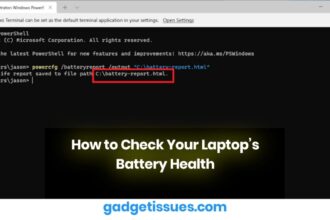
How to Check Your Laptop’s Battery Health
Laptop batteries degrade over time due to regular use, charging cycles, and heat. As your battery ages, it loses its…


How to Boost Performance on Your HP Laptop
Is your HP laptop running slower than usual? Don’t worry — with a few quick tweaks and optimizations, you can…

How to Restore or Apply an Oleophobic Coating: Bring Back That Smooth, Smudge-Free Screen
Over time, your smartphone screen might start feeling less smooth and looking smudgier—even after a good wipe. That’s because the…

How to Resolve Fading Blue Light on Your TV
Are you facing issues with your TV’s blue light fading? A fading or dim blue light can affect your TV’s…

How to Fix and Enhance Mobile Security
Mobile security is essential to protect your personal information, data, and privacy from cyber threats like hacking, malware, and unauthorized…

Left Mouse Button Double Clicking? Here’s What You Can Do to Fix It
You’re just trying to click once—select some text, open a file, maybe play a game—and BAM! Your mouse decides to…
Samsung Galaxy Tab S3 Troubleshooting Guide
The Samsung Galaxy Tab S3 is a sturdy machine, but as with any technology tool, it might have some issues…

How to Shut Down, Restart, or Repair a Frozen Apple Watch
Whether you need to conserve battery, diagnose an issue, or reset your Apple Watch, learning how to safely shut down…

PS5 Turns Off By Itself: How to Fix It
Is your PS5 turning off by itself without warning? You're not alone — and the issue is often linked to…

Smart Watch Repair: Common Issues and Professional Solutions
Smartwatches play a vital role in our daily routines. We rely on them to track fitness goals, stay connected on…