Smartphones are indispensable in our daily lives, but even the best devices can run into trouble. From cracked screens to unresponsive touch controls, issues are inevitable. This guide explores common smartphone problems and offers DIY solutions that can save you time and money.
1. Cracked Screen
Problem: One of the most frequent issues with smartphones.
DIY Fixes:
- Assess the damage: Check screen functionality and watch for loose glass.
- Temporary fix: Apply clear tape over small cracks to prevent spreading.
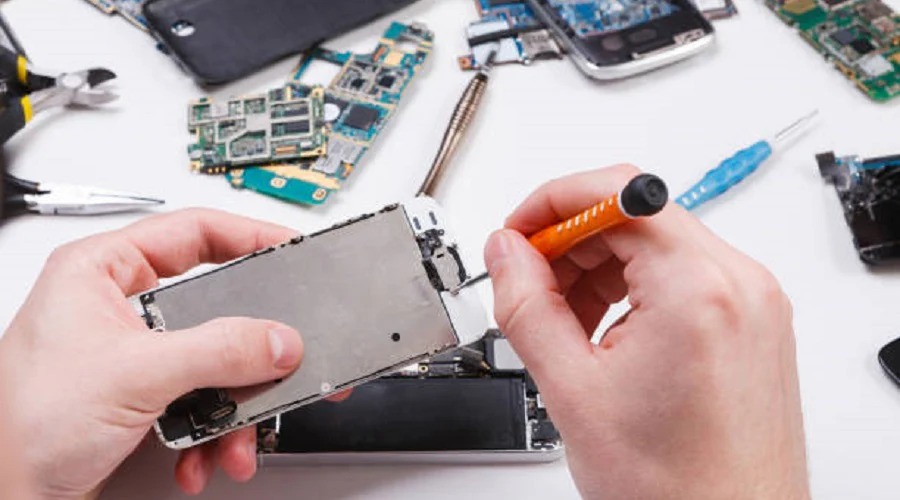
- DIY repair: Use a suction cup and 3D precision screwdrivers to remove and replace the screen carefully.
2. Fast Battery Drain
Problem: Your phone’s battery is dying faster than expected.
DIY Fixes:
- Battery usage: Check which apps consume power in your settings.
- Battery replacement: Use a screwdriver and plastic pry tool to safely replace old batteries.
- Other tips: Lower brightness, close apps, and disable Wi-Fi/Bluetooth when not in use.
3. Overheating
Problem: Device gets hot during usage.
DIY Fixes:
- Close background apps: Free up memory and CPU usage.
- Update software: Many overheating fixes come through updates.
- Avoid heat exposure: Keep the phone out of the sun and hot surfaces.
4. Unresponsive Touchscreen
Problem: The screen doesn’t respond or lags.
DIY Fixes:
- Restart the phone to fix temporary software glitches.
- Update OS to ensure performance patches are applied.
- Touch calibration: Use your device’s built-in touchscreen test/calibration tool.
- Advanced fix: Open the device and check internal display connectors.
5. Water Damage
Problem: Accidental exposure to water or liquid.
DIY Fixes:
- Power off immediately to avoid short-circuiting.
- Dry safely: Remove the battery (if possible), and place the phone in a sealed bag with silica gel packets for at least 24 hours.
- Inspect internally: If still non-functional, open and inspect for corrosion or hardware damage.
6. Slow Performance
Problem: Apps freeze, and the phone becomes sluggish.
DIY Fixes:
- Clear cache: Remove app cache from storage settings.
- Delete unused apps to free up space.
- Factory reset for persistent lag (back up your data first).
Additional DIY Tips for Everyday Problems
- Scratched Screen: Light scratches can be buffed out using a small amount of toothpaste and a microfiber cloth.
- Unresponsive Volume Buttons: Clean with isopropyl alcohol. Always power off the phone first.
- Water Damage Tip: Silica gel packets are more effective than rice—use sealed bags for drying.
Expert DIY Repair Tips
- Research first: Understand the phone model and repair process beforehand.
- Organize tools: Use magnetic trays or labeled containers for screws and parts.
- Take progress photos: Step-by-step photos can help during reassembly.
- Join forums: Platforms like iFixit, Reddit r/phonerepair, or XDA Developers offer helpful repair discussions.
Conclusion
With basic tools and the right knowledge, many smartphone issues can be fixed at home. This DIY approach not only saves you money but also empowers you to extend your phone’s lifespan.
Also Read : How to Repair a Broken Watch Band: A Step-by-Step Guide